Employee Center vs Employee Slate: what you gain and what you lose
Contenido
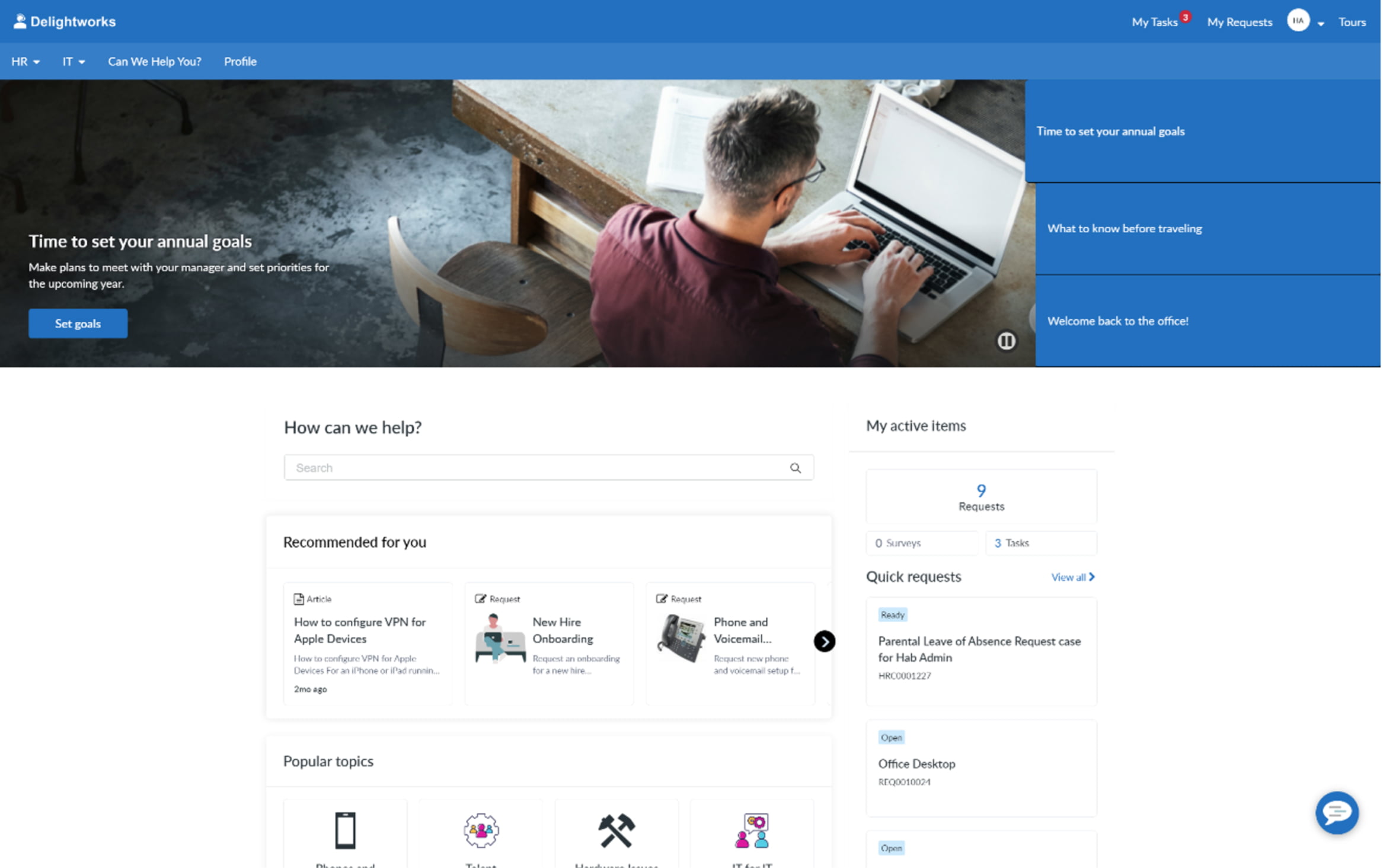
For years, the ServiceNow employee experience has revolved around a portal: Employee Center (formerly ESS/Service Portal). A site with its taxonomy, catalog, search and widgets, where the employee browses until they find what they need.
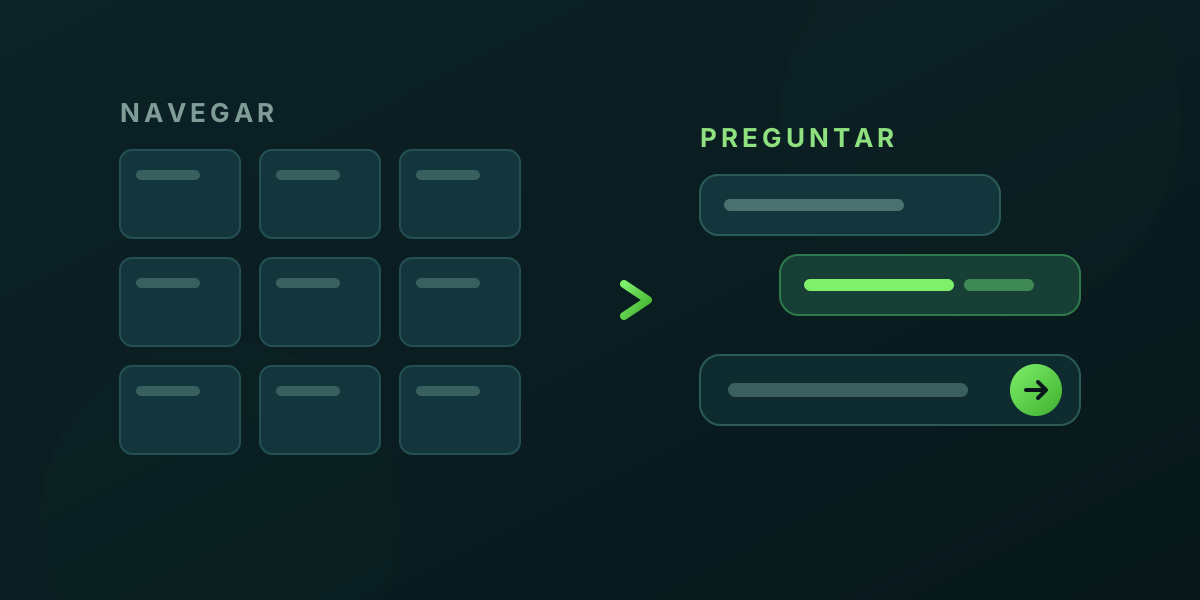
With Employee Slate, ServiceNow rethinks that premise from the ground up. Instead of browsing, the employee asks. It’s a new product, on a different architecture, built for a workforce that expects work tools to behave like the consumer apps they use every day.
This article compares both approaches: how they differ, what you gain with Slate, what you lose or have to rebuild, and how they coexist during the transition.
What each one is
Employee Center is ServiceNow’s consolidated employee experience portal. Multi-audience (HR, IT, facilities, legal…), with unified taxonomy, catalog, knowledge base and a personalization layer. It’s mature, highly configurable, and backs thousands of production implementations.
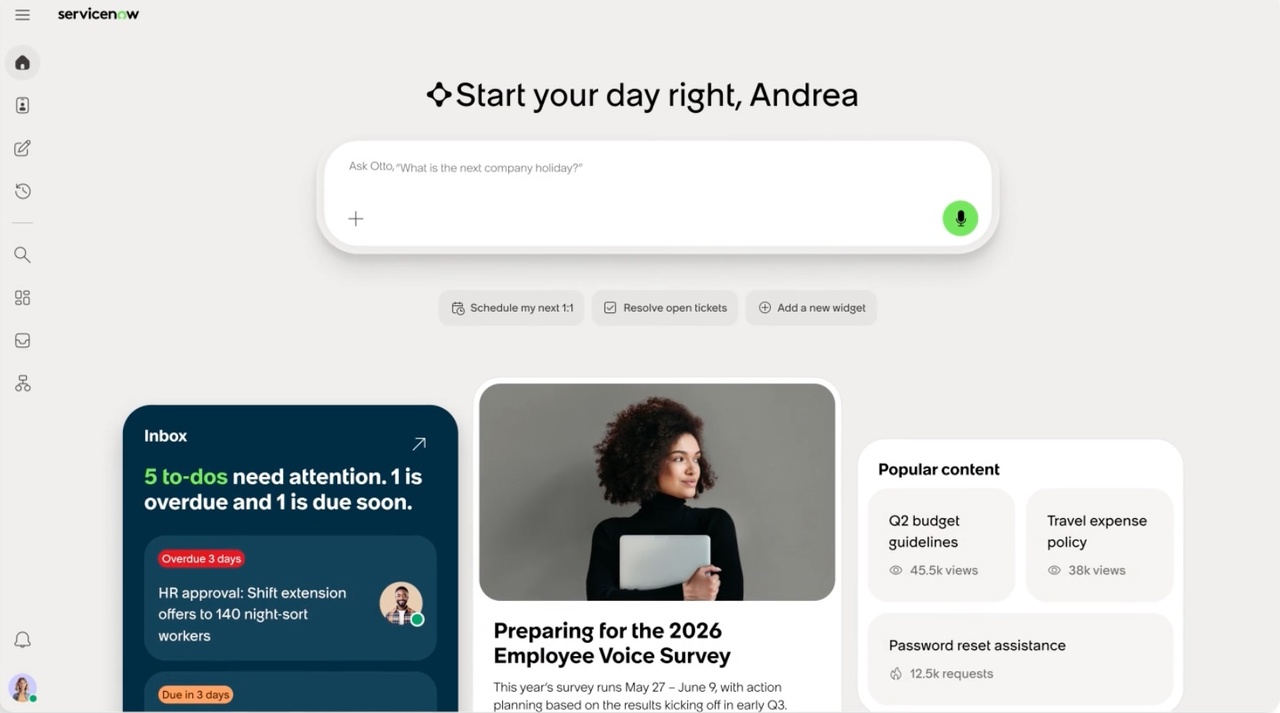
Employee Slate is the new experience, available since May 2026 inside EmployeeWorks (ServiceNow’s “AI front door”). It is natively powered by Moveworks and its premise is conversation-first: the home page is built around an AI chat bar. Employees type what they need in plain language and the experience takes it from there —answering, submitting a request, surfacing relevant content— all within a single conversational flow.
The philosophy shift: browse vs ask
This is the core difference, and everything else follows from it.
| Employee Center | Employee Slate | |
|---|---|---|
| Primary interaction | Browse: menus, categories, search | Ask: AI chat bar |
| Home page | Portal with sections and widgets | Conversational bar + personalized canvas |
| Engine | ServiceNow platform + Service Portal | Natively powered by Moveworks |
| Personalization | Audience segmentation, targeting | Hyper-personalized canvas (to-dos, content, links) |
| Maturity | Established, years in production | New (May 2026), shipping monthly |
Slate’s personalized canvas surfaces things without the employee searching:
- To-dos: priority tasks, approvals and pending requests.
- Popular content: the most-viewed knowledge articles and topics.
- Quick links: configurable shortcuts to the catalog and external tools.
And the AI layer (Moveworks’ World Knowledge) goes beyond the usual chatbot: content generation, web searches, general knowledge questions, email drafting, report creation… inside the flow itself.
What you gain with Employee Slate
- Less friction for the employee: “the fastest way is to just ask.” It removes the cognitive cost of knowing where everything lives in the portal.
- Real embedded AI, not a bolt-on widget: the conversation is the entry point, not an add-on.
- Proactive personalization: the experience brings work to the employee instead of waiting for them to look for it.
- Fast product cadence: Slate ships new capabilities every month.
What you lose (or have to rebuild)
This is where it pays to be realistic before selling the jump to the business.
- There are no automated migration tools. It isn’t an “update” button: it’s adopting a different product on a different tech stack.
- Employee Center widgets need to be rebuilt for Slate if they aren’t available out of the box. Heavily customized portal pieces don’t carry over as-is.
- They are two isolated experiences. Employee Slate and Employee Center Pro run on different stacks; this is not a hot upgrade of the same portal.
- Feature parity is still being built. Slate will cover Employee Center Pro use cases gradually through 2027.
The good news: your configuration carries over
Being different products doesn’t mean starting from scratch. Slate leverages the same platform configuration tables as Employee Center, so much of what you already built is inherited automatically:
| Carries over (no rework) | Needs rework / review |
|---|---|
| Tasks, requests and catalog | Custom portal widgets |
| Org Chart | Portal layout and branding |
| Employee Profile | Use cases not yet at parity in Slate |
| Unified Inbox | Widget-specific integrations |
In other words: your business logic (what a request is, who approves it, how the org chart looks) travels with you. What you rebuild is the presentation layer.
Coexistence: you don’t have to choose today
ServiceNow supports coexistence: Employee Center and Employee Slate can run in parallel while Slate matures. And an important reassurance for anyone with a large investment in Employee Center Pro:
There are no plans to deprecate Employee Center Pro. ServiceNow expects to keep maintaining and supporting it for the foreseeable future.
That enables a phased adoption: start with Slate for specific audiences or use cases, measure, and expand as parity grows —with no big bang and no pressure to switch off the current portal.
So, should you jump?
A quick framework to decide:
- Explore Slate now if employee experience is your priority, you’re betting on AI/Moveworks, and your use cases are relatively standard (well covered out of the box).
- Phased adoption if you have a heavily customized Employee Center Pro: coexist, start with narrow audiences, and migrate as Slate gains parity.
- Stay on Employee Center (for now) if you depend on very custom widgets or on use cases Slate doesn’t cover yet. No rush: EC Pro isn’t going away.
Bottom line: Slate isn’t “Employee Center with a chatbot.” It’s a paradigm shift —from browsing to asking— and it deserves to be treated as an experience project, not a technical upgrade. The upside is that your platform configuration comes along, and you don’t have to decide all at once.
Sources
- ServiceNow EmployeeWorks: Introducing Employee Slate
- Employee Slate Product FAQs — ServiceNow Community
- Employee Slate — ServiceNow Docs
ServiceNow, Employee Center, Employee Slate and Moveworks are trademarks of ServiceNow, Inc. This article is an independent analysis.